Aliens: Fireteam Elite 2 Co-Op and Crossplay Guide
Build a four-player squad, plan roles and firing lanes, use crossplay and voice, and recover from matchmaking, host, or connection failures.
Direct answer
Fireteams support up to four players across PC, PlayStation 5, and Xbox Series X|S with crossplay and cross-platform voice. Confirm the shared game update, test voice, assign four squad jobs, and agree on a recovery plan before launching.
Quick answer
- Keep the fireteam at four players or fewer across PC, PlayStation 5, and Xbox Series X|S.
- Crossplay, cross-platform voice, matchmaking, Quickplay, host migration, and reconnect are supported.
- Cover damage, control, sustain, and priority removal before duplicating a favorite role.
- After a drop, pause for migration or reconnect before rebuilding the entire party.
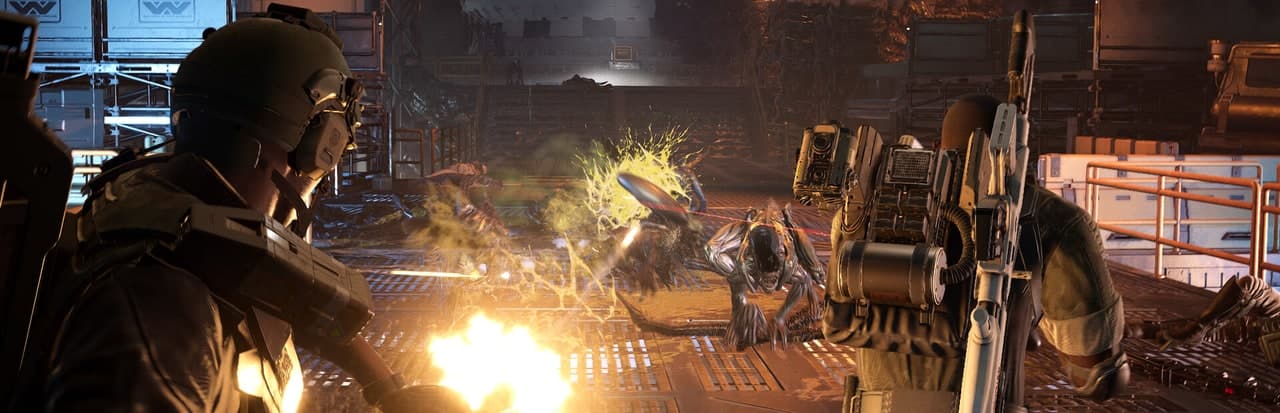
Set Up the Session in the Right Order
Connection troubleshooting works best when the group establishes one known-good state. Start with platform and update consistency, then voice, then matchmaking. Rebuilding the party after every symptom hides which layer actually failed.
- Keep the roster at four players or fewer on PC, PlayStation 5, or Xbox Series X|S.
- Confirm that every client has finished the same available game update.
- Form the cross-platform group and test voice before entering the mission flow.
- Assign damage, control, sustain, and priority-target responsibilities.
- Choose matchmaking or Quickplay, then launch only after every player reports ready.
- Agree to wait for host migration or reconnect before anyone disbands the group.
The session is ready when all four checks are true: every player is present, voice works, each player knows a job, and the group knows what to do after a disconnect.
Official four-player co-op overview
See the four-player fireteam structure, class teamwork, and cross-platform co-op focus in the official showcase.
Build the Squad Around Four Jobs
Class variety matters when it produces useful coverage. Four different class names can still fail if everyone spends tools on damage and nobody owns control, sustain, or dangerous targets.
| Squad job | What the player owns | Strong class direction |
|---|---|---|
| Direct damage | Maintains pressure and finishes the called threat | Duelist or Marauder |
| Area control | Prepares defended space and stops a formation collapse | Machinist or control-focused Specialist |
| Sustain | Tracks healing, revives, resistance, and safe recovery windows | Medic |
| Priority removal | Identifies and controls enemies that change the fight | Hunter or precision-focused Specialist |
Repeated classes are workable when all four jobs remain covered. Before launching, each player should be able to finish the sentence, “When this fight goes wrong, I am responsible for...”
Assign Firing Lanes Before the First Hold
Use a short callout system that survives heavy pressure:
| Call | Meaning | Expected response |
|---|---|---|
| Left, center, right | The active approach lane | The assigned player owns ordinary enemies in that lane |
| Priority | One dangerous enemy has become the shared target | Damage and precision focus it while control protects the formation |
| Collapse | The current position can no longer be held | Everyone moves through the agreed escape route |
| Hold control | A major control tool should stay ready | Avoid spending it on low-impact targets |
| Clear lane | A player needs to cross active fire | Stop or redirect fire until the movement finishes |
The front player should avoid unpredictable side-to-side movement. Rear players should announce lane changes before crossing. This becomes essential when higher difficulty adds meaningful friendly-fire pressure.
Host Without Creating a Fragile Session
The host should own session state, not every combat decision. Use this pre-launch checklist:
- Confirm four or fewer supported-platform players.
- Ask every player to report the current update as complete.
- Test cross-platform voice with one short response from each person.
- Confirm the mission and difficulty verbally.
- Confirm role coverage and the fallback route after a host drop.
- Launch once, then avoid unnecessary party changes between successful runs.
Patch 1 added region-based matchmaking intended to improve connection quality and corrected a cross-platform friend voice issue. When either symptom appears, updating every client and rebuilding the party is a more useful first test than changing unrelated gameplay settings.
Join Through Matchmaking or Quickplay
Matchmaking and Quickplay serve different player intent even when both create a squad:
Use a planned party
Choose this when mission, difficulty, classes, and voice coordination matter more than queue speed.
Best for: Progression and harder runs
Use matchmaking
Enter the available matchmaking flow, then quickly identify which four squad jobs are already covered.
Best for: A selected multiplayer objective
Use Quickplay
Join faster, inspect the existing composition, and fill the most obvious missing job.
Best for: Flexible public play
Run with bots
Use the solo route when stable pacing matters more than live coordination or the connection remains unreliable.
Best for: Practice and controlled testing
After joining public players, do not assume a class name tells you the full build. Watch behavior during the first encounter: who controls lanes, who heals, who calls priority targets, and who maintains damage. Fill the missing job through play even when loadouts overlap.
Recover From a Host or Player Drop
Host migration and reconnect are supported. A disconnect should trigger a short recovery sequence:
- Stop issuing conflicting instructions and keep the surviving formation stable.
- Allow host migration or reconnect time to act before leaving the run.
- Confirm who returned and whether voice recovered with the session.
- Restate the current objective and lane assignments before moving.
- Rebuild the party only when the supported recovery path has clearly failed.
This avoids turning a brief interruption into four separate queues. It also reduces the chance that one player rejoins while everyone else is already dismantling the session.
Troubleshoot Crossplay by Layer
| Symptom | First layer to test | Recovery path |
|---|---|---|
| One player cannot join | Client consistency | Finish updates on every platform, then rebuild the party once |
| Cross-platform voice is silent | Voice session | Confirm updated clients, reform the party, and retest before launching |
| Public matches feel geographically poor | Matchmaking region | Retry under the region-based matchmaking flow |
| The host disappears | Session recovery | Wait for host migration or reconnect before leaving |
| A non-host player drops | Player recovery | Give reconnect time, then confirm the restored role assignment |
| The same group repeatedly fails to connect | Group-specific session state | Test a smaller party, then add players back one at a time |
| Matchmaking works but the mission fails | Squad execution | Review roles, lanes, threat priority, and resources instead of changing network settings |
The smaller-party test is diagnostic. If two players connect and a third addition breaks the session, the result narrows the problem. If no combination works, focus on shared update state and matchmaking before reviewing individual combat builds.
Run a 60-Second Fireteam Brief
Use this script before a demanding mission:
- Objective: state the mission and difficulty.
- Jobs: name damage, control, sustain, and priority removal owners.
- Lanes: name left, center, right, and the retreat route.
- Resources: agree that pickups go to the player with the current need.
- Recovery: wait for migration or reconnect after a drop.
The brief is complete when every player can repeat their job and the escape route. More detail can wait until the team reaches a specific encounter.
Review the Session as a Team
| Review question | Useful answer | Team adjustment |
|---|---|---|
| Which job was uncovered? | Name one of the four jobs | Change one class plan or responsibility |
| Where did the formation break? | Name the room, lane, or enemy action | Assign an earlier collapse call |
| What resource ended first? | Healing, ammunition, or cooldowns | Set a conservation rule for the next attempt |
| Did a technical interruption recover? | Migration, reconnect, or full failure | Keep the working recovery path or isolate the failed layer |
| Was voice helping? | Calls were short and actionable | Remove narration and keep target, lane, and collapse calls |
Frequently Asked Questions
Was this helpful?
Continue reading
These related Aliens: Fireteam Elite 2 pages answer the next questions around this topic.