Aliens: Fireteam Elite 2 Weapons Guide
Search 16 confirmed weapons with images, compare verified weapon families and class links, and choose what to test without relying on invented stats.
Direct answer
Use this 16-weapon verified catalog to identify each model, narrow the right weapon family, and compare candidates in the live Loadout at the same progression state. Exact damage rankings remain unsafe until current in-game values are captured consistently.
Quick answer
- The directory contains 16 confirmed weapon entries with local reference images.
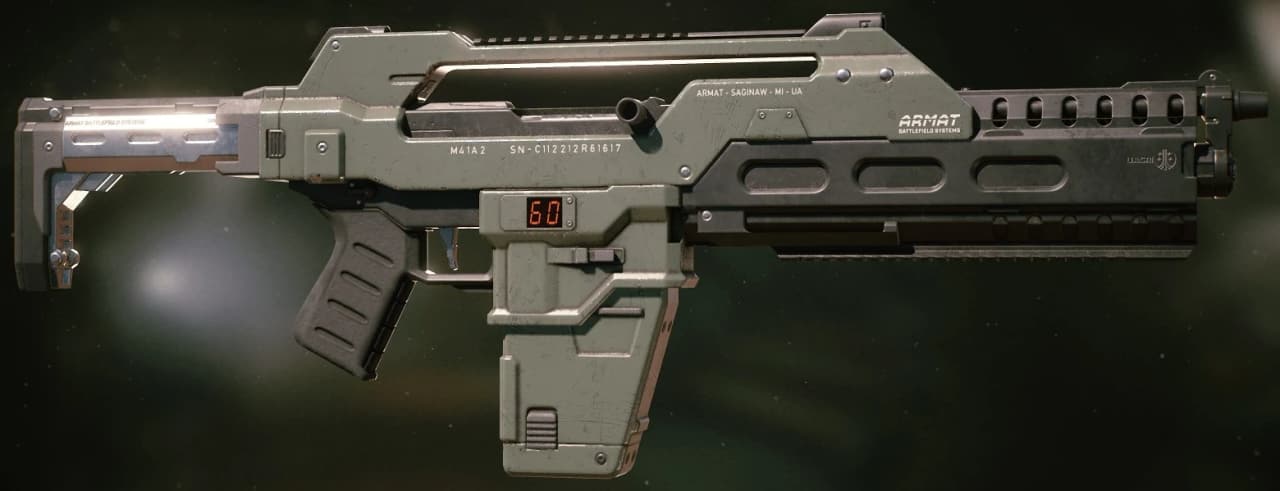
- Marauder, Machinist, Hunter, and Specialist each have two class-linked weapons represented in this catalog.
- Compare weapons at equal star level with the same attachment and Augment conditions.
- Use the live Loadout tooltip for current performance values because published reference material does not support a trustworthy damage tier list yet.
Choose a Weapon Without Guessing at Stats
Start with the job the weapon must perform, narrow the directory by family, then compare candidates in the live Loadout. Names and weapon types establish identity, while damage, weak-point output, recoil, spread, reload speed, ammo economy, traits, and Augment interactions require current in-game inspection.
| Player need | Directory family to inspect | What to compare in the Loadout |
|---|---|---|
| Compact backup | Sidearm | Control, reload cycle, reserve behavior, and attachment compatibility |
| Familiar infantry platform | Pulse rifle | Recoil, fire behavior, magazine management, and weak-point consistency |
| Close-space response | Shotgun and riot gun | Spread, effective distance, reload exposure, and stopping behavior |
| Area pressure | Heavy and explosive | Friendly-fire risk, recovery time, ammunition, and safe firing lanes |
| Class-specific energy option | Directed energy | Class access, firing model, heat or ammunition rules, and target interaction |
| Unknown model identity | Unclassified | Inspect the live item card before assigning a combat role |
The safest recommendation is conditional. A weapon earns a place when it solves the squad's current problem and remains controllable under the mission's difficulty and friendly-fire rules.
Search the 16-Weapon Catalog
This directory covers 16 confirmed entities backed by the project's current image collection. It is a verified working catalog, without claiming that the game's entire arsenal contains only 16 weapons.
16 entries

BD-03 Djinn Personal Railgun
Directed EnergyA personal railgun associated with the Hunter class. Current damage, charge behavior, ammunition, and weak-point performance require in-game verification.

BD-16 Begho
UnclassifiedA Colonial Marine weapon confirmed in service by 2207. Its family and practical combat behavior remain unconfirmed in the current catalog.

EDS-93 Zadak Plasma Discharger Mk. II
Directed EnergyA Colonial Marine plasma weapon and successor to the original EDS-93. Its revised firing model and current performance values need live Loadout confirmation.
Frontier Revolver
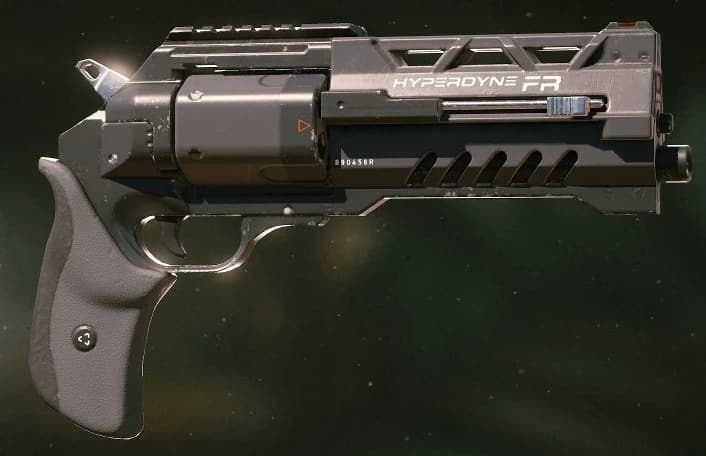
SidearmA high-caliber Hyperdyne revolver and the company's first renowned 3D-printed weapon. Compare its live handling and reload behavior before treating it as a precision option.
Kramer Short-Barrel
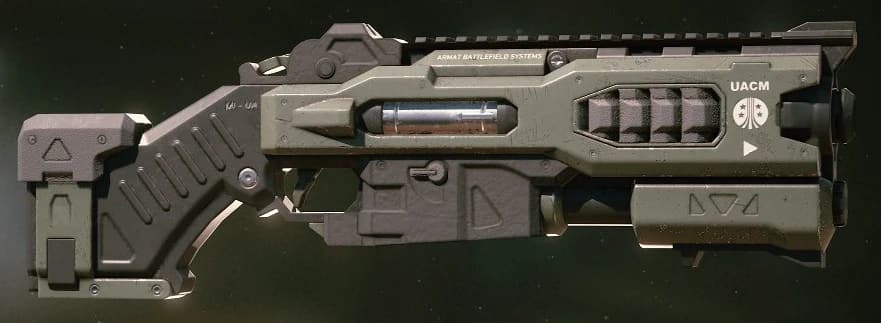
Shotgun And Riot GunAn Armat-built handheld riot gun for Colonial Marine service. Its close-range identity is confirmed, while sequel-specific spread and stopping behavior need live testing.
L56A3 Smartgun
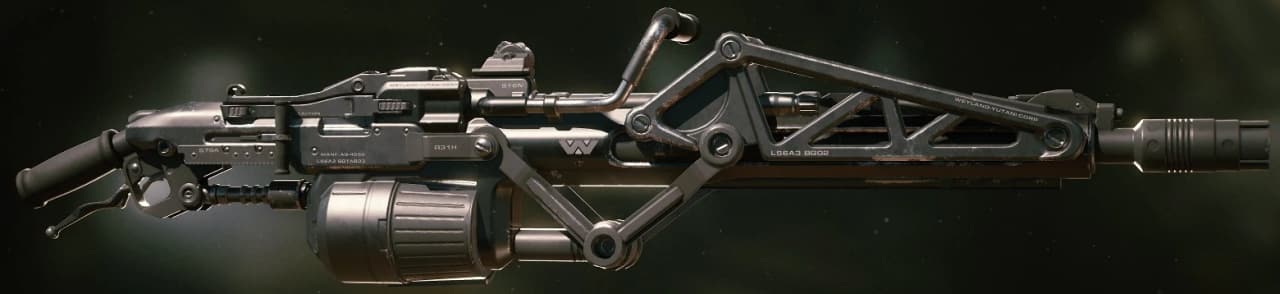
Heavy And ExplosiveA Weyland-Yutani heavy machine gun derived from the M56 Smartgun platform and represented in the Specialist loadout identity.
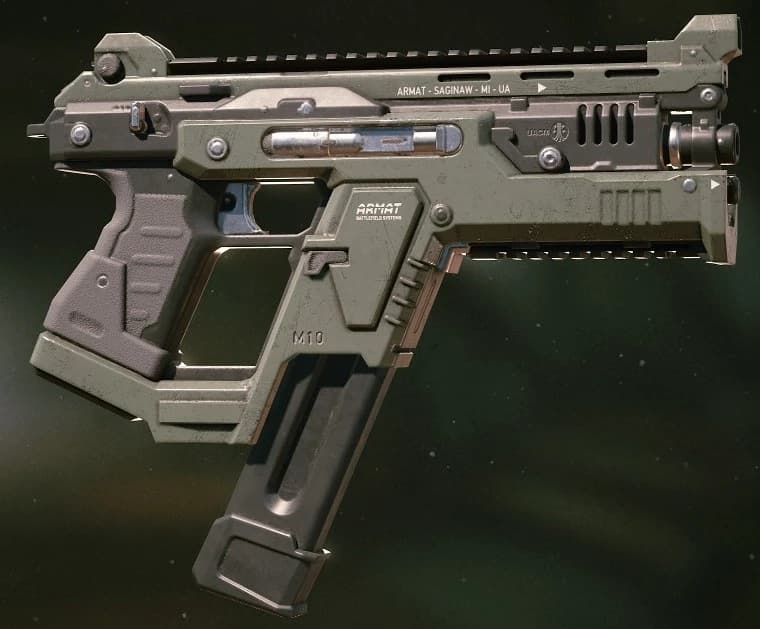
M10 Auto Pistol
SidearmA fully automatic Armat machine pistol using caseless ammunition. Check its current reserve, recoil, spread, and attachment rules in the Loadout.
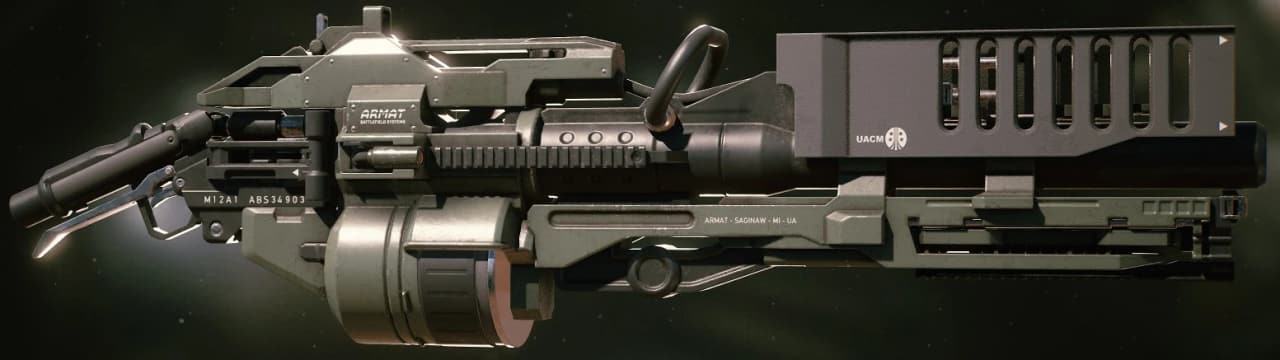
M12A1 Rocket Launcher
Heavy And ExplosiveAn anti-infantry Armat launcher built around fragmentation rockets and presented as part of the Marauder weapon identity.
Match Confirmed Weapons to Class Roles
Published class showcases connect eight entries in this catalog to four class identities. Treat these links as a starting point for build planning, then use the live Loadout to confirm the exact access and unlock state on your profile.
| Class | Confirmed catalog weapons | What the class showcase suggests testing |
|---|---|---|
| Marauder | M12A1 Rocket Launcher, OCAP-91 Volcan | Explosive and sustained flame pressure with strict attention to squad firing lanes. |
| Machinist | SMB-94 Zephyr Plasma Emitter, EDS-93 Zadak Plasma Discharger Mk. II | Energy-weapon behavior alongside automated area-control tools. |
| Hunter | BD-03 Djinn Personal Railgun, Type 111 Directed Particle Emitter | Precision or directed-energy options for priority-target work. |
| Specialist | L56A3 Smartgun, M41A2 Pulse Rifle | Flexible heavy automatic and rifle options within a hybrid build. |
Aliens: Fireteam Elite 2 - New Enemies, Weapons & More!
Watch this weapon-focused overview for visual context on the sequel's arsenal before comparing current values in the live Loadout.
The complete classes guide covers all six class paths, including class weapons that fall outside this 16-entry image catalog.
Compare Two Weapons Fairly
A meaningful comparison holds progression and build state constant. A higher-star weapon with different attachments can make the weaker baseline look stronger, while a trait or Augment can change the outcome more than the weapon family itself.
- Choose two weapons that can solve the same squad task.
- Bring them to the same star level before drawing a performance conclusion.
- Remove attachments and Augments, or equip equivalent effects on both weapons.
- Record the live Loadout values that matter for the task, such as control, reload, ammunition, and weak-point behavior.
- Test both options in the same mission and difficulty with the same class and perk board.
- Keep the weapon that solves the task with fewer failures, then add attachments and an Augment deliberately.
| Test | What to observe | A useful result looks like |
|---|---|---|
| Priority target | Time exposed, missed shots, weak-point consistency | The target is removed without breaking squad positioning. |
| Lane control | Reload gaps, ammunition use, target transitions | Pressure stays stable through the full wave. |
| Close-range recovery | Draw time, control under movement, reload safety | The weapon creates space before the squad is surrounded. |
| Friendly-fire discipline | Projectile path, blast or flame footprint | Teammates can hold their lanes without repeated damage risk. |
| Progression fit | Available attachments, Augment, trait, and star goal | The weapon supports both the current build and the next unlock target. |
Current updates corrected multiple weapon and stat-display issues, including the Mondo Heat 9000 reload delay and several attachment or trait values. Use live tooltips after updating the game, and avoid ranking weapons from an old screenshot or a different progression state.
Build Weapon Progress Toward Achievements
Weapon XP is awarded after extraction. Each star unlocks a different layer, so compare weapons at the same milestone before deciding which one fits the squad.
| Star level | Unlock | What to do next |
|---|---|---|
| One star | Weapon trait | Read the trait before judging the weapon against an unranked alternative. |
| Two stars | Colorway | Keep leveling if the goal is a combat unlock rather than appearance. |
| Three stars | Universal core perk | Check whether the perk improves the current class build or belongs in another setup. |
| Four stars | Augment slot | Re-test the weapon after equipping an Augment because its behavior may change. |
Two achievements reward different weapon-leveling strategies:
| Achievement | Requirement | Planning rule |
|---|---|---|
| Hell and Back | Level one weapon to four stars | Keep one dependable weapon as the long-term project. |
| Well Stocked Arsenal | Level ten weapons to at least two stars | Rotate a tracked set of ten weapons before over-investing in extras. |
| Not Just For Decoration | Equip an attachment on a sidearm | Use Frontier Revolver, M10 Auto Pistol, or another confirmed sidearm with a compatible attachment. |
| Fully Loaded | Fill all weapon attachment positions, including an Augment | Inspect one weapon and verify every required position is occupied. |
| Yellow Makes It Shoot Better | Apply one colorway and three decals to a gun | Keep all four cosmetic selections on the same weapon. |
Use the complete achievements guide to combine these goals with campaign, class, and Horde progress.
Fix a Weapon or Loadout Mismatch
| Symptom | Likely check | Next action |
|---|---|---|
| Search returns no weapon | Text or family filter is active | Clear search and select All categories. |
| Weapon feels weaker than a comparison | Star level, trait, attachments, Augment, class perks, or difficulty differ | Equalize the setup before testing again. |
| Displayed stat color looks misleading | Attachment stat presentation may have changed | Read the current value and effect text after updating the game. |
| Mondo Heat 9000 reload feels delayed | The reload fix may not be installed | Update the game and retest the full reload cycle. |
| Explosive or flame weapon harms the squad | The firing lane is too narrow or crossed | Hold fire, reposition, and reserve the weapon for a clear angle. |
| A weapon cannot use a desired item | The item may be incompatible with that weapon's mechanics | Remove it and choose an attachment or Augment accepted by the live Loadout. |
| A class-linked weapon is unavailable | Unlock state or current class access differs | Inspect the class and weapon screens instead of assuming catalog presence grants access. |
The directory establishes identity and helps you find candidates. The live Loadout remains the final authority for current ownership, access, statistics, attachments, traits, and Augments.